
Seamless Integration
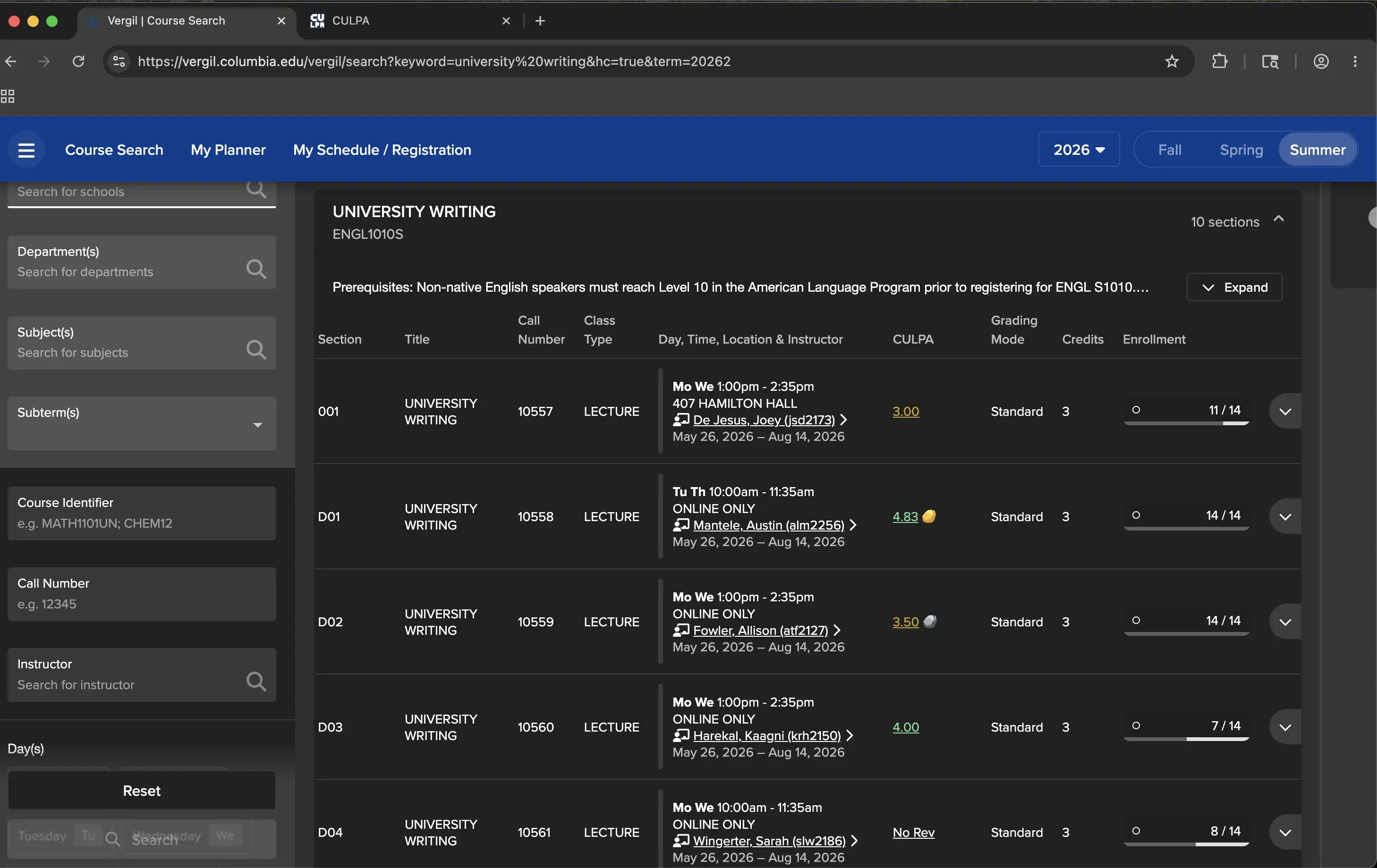
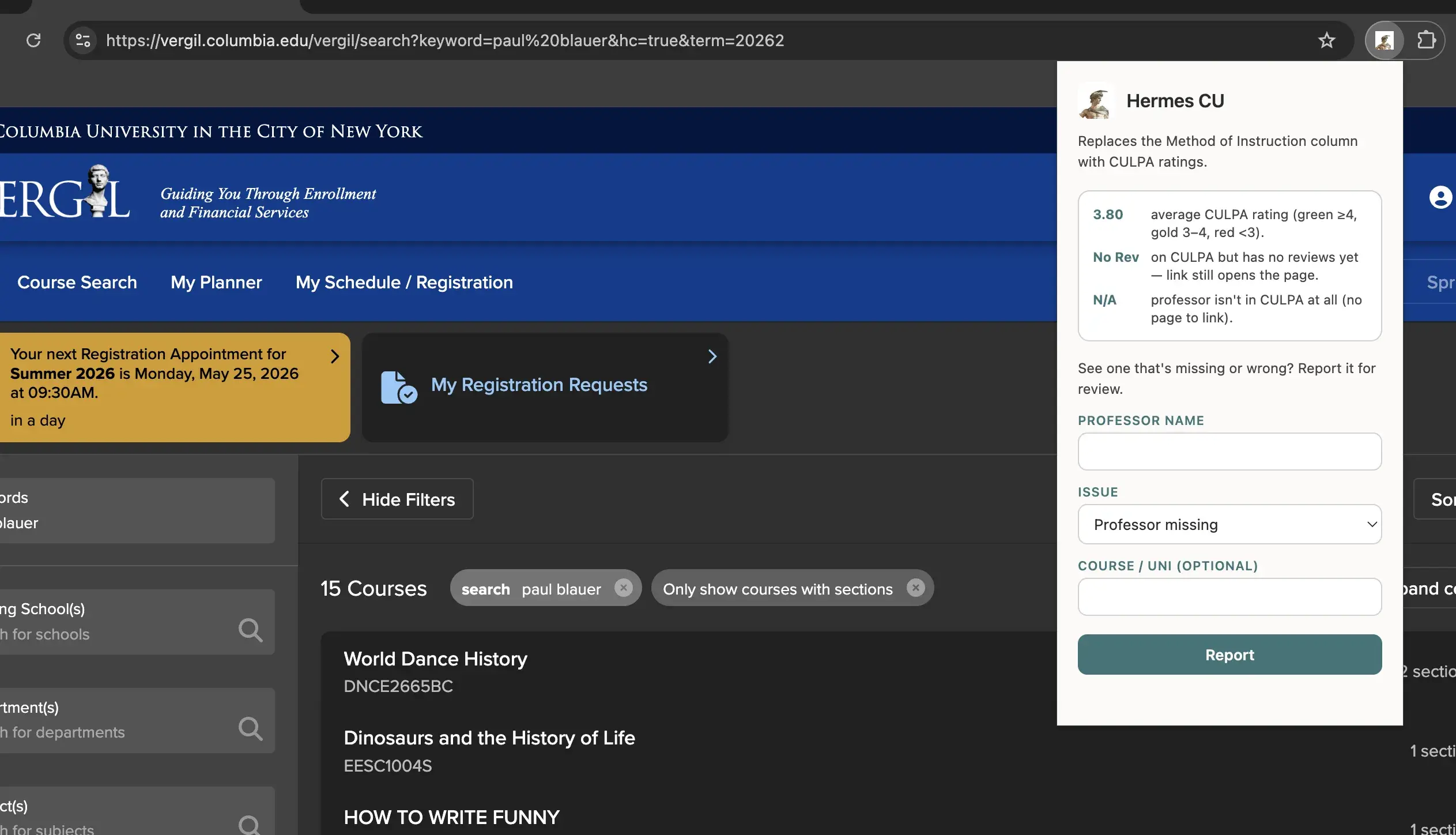
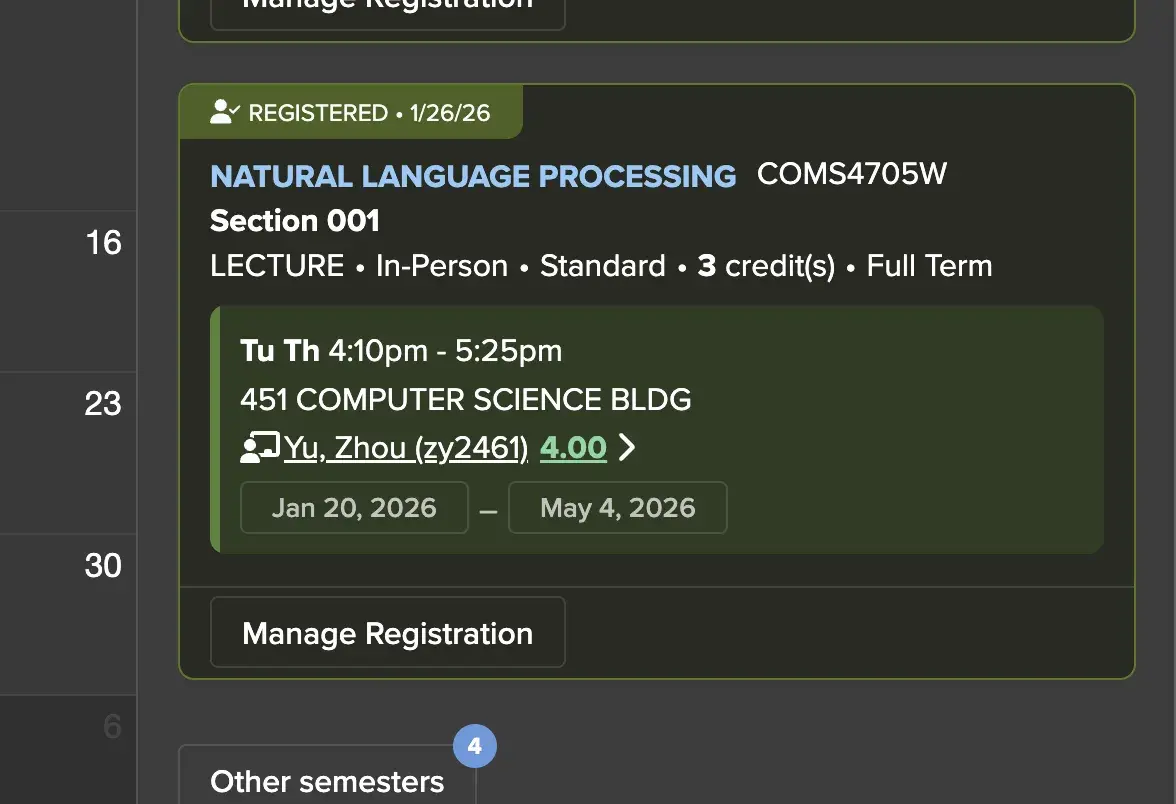
Install Hermes CU
For Chrome, Edge, and Brave. Download, turn on Developer mode, and drag it in.
Chrome / Edge / Brave
Load the unpacked build
Download for Chrome- Unzip
hermes-cu-chrome.zip. - Open
chrome://extensions. - Toggle Developer mode on (top-right).
- Click Load unpacked and select the unzipped folder.
- Pin Hermes CU and open Vergil.